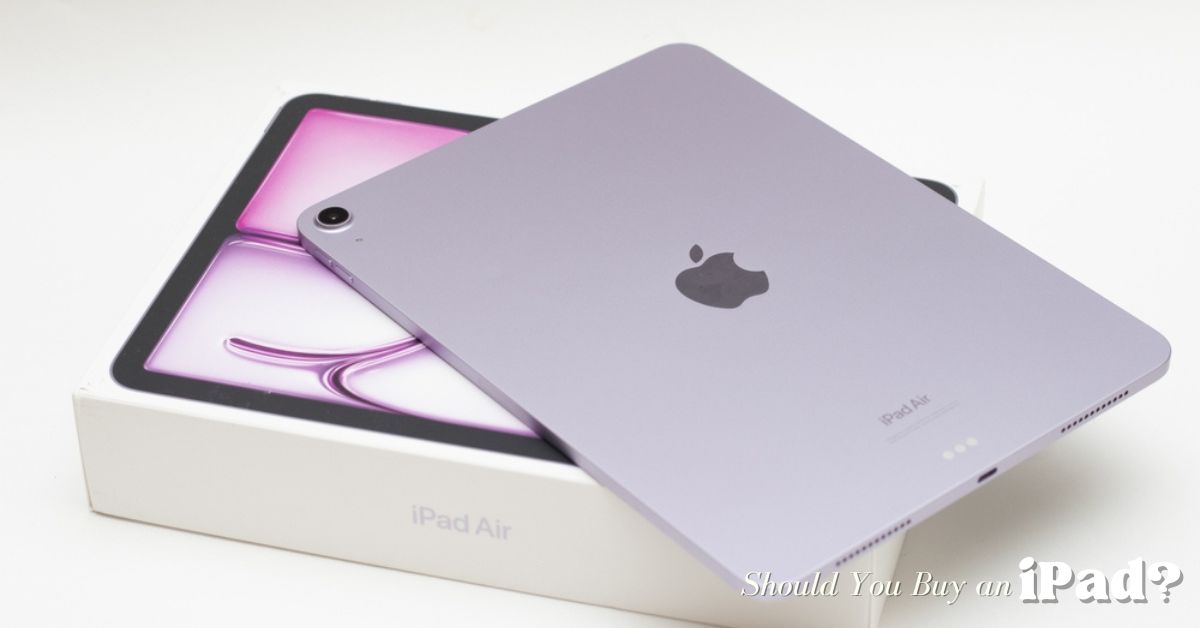
In a world filled with ever-evolving gadgets, screens, and smart devices, one question keeps coming up among students, creatives, professionals, and everyday users: Should you buy an iPad? With smartphones getting bigger, laptops getting lighter, and tablets everywhere, it’s natural to wonder whether the iPad still holds a meaningful place — or if it’s just another gadget you might not need.
Many people hesitate because the lines between tablets, laptops, and smartphones have blurred. After all, smartphones can handle casual browsing and streaming, laptops can perform serious work, and tablets sit somewhere in between. The question isn’t just about specs; it’s about real-world usability. This article explores whether tablets like the iPad are still relevant, who benefits most from them, and how to make a decision that fits your lifestyle and budget.
Understanding the Tablet Market: Why It Still Matters
Tablets are far from dead. In fact, they’ve become highly specialized tools for specific user needs. Unlike smartphones, tablets provide a larger screen and a more immersive interface. Compared to laptops, they are more portable and easier to carry around for casual or professional use.
Some key insights from recent industry data:
-
Steady market growth: The global tablet market continues to expand, with increasing demand for hybrid and AI-enabled devices.
-
Wide adoption across demographics: Tablets are used for school, work, creative tasks, and entertainment.
-
Increasing shipments: Year-on-year shipments continue to rise, showing steady consumer interest in portable, versatile devices.
This demonstrates that tablets, including the iPad, are evolving to meet the specific needs of modern users rather than competing directly with phones or laptops.

Comparing Devices: Tablet, Laptop, and Smartphone
To understand where the iPad fits, let’s compare device types in terms of common needs:
| Device | Portability | Productivity | Entertainment | Creativity | Battery Life |
|---|---|---|---|---|---|
| Smartphone | Very High | Moderate | High | Moderate | Moderate |
| Tablet (iPad) | Very High | High | Very High | High | High |
| Laptop | Moderate | Very High | High | Very High | Moderate |
Key takeaway: Tablets, especially iPads, are ideal for users who want more screen and functionality than a phone but greater portability than a laptop.
Why the iPad Continues to Stand Out
Even as other tablets emerge, the iPad remains the benchmark for performance, ecosystem integration, and user experience. Here’s why:
Market Dominance and Long-Term Support
Apple’s iPad commands a strong share of the global tablet market, which ensures:
-
Extended software updates for older models
-
A rich ecosystem of high-quality apps
-
Strong resale value if you upgrade later
Android tablets offer competitive hardware but often suffer from fragmented software updates and inconsistent app quality.
High Performance Chips
Recent iPads, particularly the iPad Pro with M-series chips, offer performance rivaling many laptops. Tasks like video editing, advanced multitasking, and creative workflows run smoothly. Even the standard iPad can handle productivity apps, note-taking, streaming, and casual creative work efficiently,
Software and Ecosystem Integration
The iPad excels in combining hardware and software seamlessly:
-
iPadOS is optimized for multitasking and touch-based navigation
-
Tight integration with Macs, iPhones, Apple Pencil, and keyboard accessories
-
Access to a vast ecosystem of apps optimized for creativity, productivity, and entertainment
The ecosystem advantage is one reason iPads often outlast competing tablets in terms of user satisfaction and utility.
Should you buy an iPad?
Different user types benefit differently from an iPad. Let’s break it down:
Students
Students gain significant advantages from iPads:
-
Lightweight design that’s easy to carry between classes
-
Apple Pencil support for note-taking, diagrams, and annotations
-
Ability to handle PDFs, e-books, and online lectures
-
Battery life that lasts through the day
Real-life example: Emily, a university student, replaced her laptop with an iPad Air. She uses it to take handwritten notes in lectures, annotate PDFs, and work on group presentations. The portability allows her to move between classes without carrying a heavy laptop.
Creatives
For artists, designers, and writers:
-
The iPad supports digital drawing, painting, photo, and video editing
-
Apps like Procreate, LumaFusion, and Notability are highly optimized for iPadOS
-
Apple Pencil and large screen support provide precise and intuitive controls
Case study: A freelance graphic designer reported that switching from a laptop to an iPad Pro cut her editing time by 30%, as she could sketch and adjust designs directly on the screen.
Professionals on the Go
Business users can rely on iPads for:
-
Emails, video calls, and document editing
-
On-the-go presentations and lightweight productivity tasks
-
Managing schedules and multitasking efficiently
Many professionals prefer iPads over laptops for travel because they are lighter, easier to set up for meetings, and battery-efficient.
Media and Entertainment Users
Tablets excel as media devices:
-
Larger screens than phones make watching movies or reading more immersive
-
Excellent displays enhance gaming and streaming experiences
-
Portable enough to use anywhere — from couches to airplanes
Example: Families increasingly use iPads for media streaming, allowing multiple users to watch shows in different rooms without monopolizing the TV.
When an iPad Might Not Be Necessary
While iPads are versatile, they aren’t ideal for everyone:
-
If your use is limited to messaging, casual browsing, and social media, a smartphone may suffice.
-
Heavy professional software, like CAD, 3D modeling, or programming IDEs, often runs better on a laptop or desktop.
-
If budget is a constraint, lower-cost Android tablets may be sufficient, though they lack long-term updates and ecosystem integration.
Step-by-Step Guide to Deciding on an iPad
Step 1: Identify Your Main Use Case
Ask yourself:
-
Do I need it mainly for note-taking, design, or entertainment?
-
Will I use it for professional workflows requiring desktop software?
If your answer leans toward portability, creativity, or media consumption, an iPad is likely a strong choice.
Step 2: Pick the Right Model
| Use Case | Recommended iPad |
|---|---|
| Notes, PDFs, casual use | Standard iPad |
| Creative work, drawing | iPad Air or iPad Pro |
| Video editing, advanced multitasking | iPad Pro |
| Student with creative needs | iPad Air |
Practical tip: Check if accessories like the Apple Pencil or keyboard are compatible with the model you choose — these can significantly improve your experience.
Step 3: Timing Your Purchase
If your current device works fine, waiting for new releases may make sense. Apple typically updates iPads regularly with better chips, displays, and AI-powered features. Watching for upcoming announcements can help you get the most value for your investment.
Common Mistakes to Avoid
-
Buying outdated iPads that no longer receive software updates.
-
Assuming tablets are just cheaper versions of smartphones — they’re optimized for different workflows.
-
Skipping accessories such as the Apple Pencil or keyboard, which may be essential depending on your intended use.
Additional Real-Life Examples
-
College student: Switched from laptop to iPad Air for note-taking, annotating PDFs, and streaming lectures. Saved weight in the backpack and improved multitasking.
-
Freelance writer: Uses iPad Pro for content writing, editing, and research. Integrated keyboard and cloud services allow a workflow similar to a laptop.
-
Digital artist: Uses iPad Pro with Apple Pencil. The responsive display and optimized apps replaced the need for a drawing tablet and PC combination.
These examples show how the iPad adapts to multiple workflows, making it valuable in ways that standard tablets or smartphones may not.
Frequently Asked Questions
Q: Is an iPad a true laptop replacement?
A: For many users, yes, particularly for productivity, note-taking, creative work, and entertainment. However, certain professional-grade desktop software may still require a laptop or desktop.
Q: Should I wait for a new iPad release?
A: If your current device is functional, waiting can provide access to new chips, better displays, or AI-enhanced features, making your purchase future-proof.
Q: Are iPads worth the premium price?
A: Many users find they are, especially for longevity, software updates, ecosystem integration, and app quality. Cheaper alternatives may work short-term, but may lack updates and optimized apps.
Conclusion
If you’re wondering “Should you buy an iPad?” the answer depends on your needs, but for many users, the answer is a confident yes. iPads continue to offer a balance of power, portability, usability, and ecosystem benefits that many other tablets and laptops struggle to match.
Whether you’re a student, creative professional, or someone who enjoys media on the go, the right iPad can significantly enhance productivity and enjoyment. By understanding your needs, choosing the right model, and considering timing and accessories, you can make a decision that maximizes value and usability, ensuring the iPad continues to be a meaningful part of your tech toolkit.